Showing posts with label demo. Show all posts

Sensor Cleaning Wet Method YouTube by Curt Fargo

2009-03-11


I love micro-tools and the great person Curt Fargo behind the company. I just saw his useful demonstration on sensor cleaning with the wet method. I have purchased cleaning kit for my Pentax K20D and this video gives me enough information so that I know the procedure and what to pay close attention to. It is highly recommended clip on sensor cleaning


Related

Picasa Tutorials

2007-07-30

After writing many short tutorials and demos on using Picasa 2, it is about time to gather those links for a sitemap of Picasa tutorials.

This blog post is to be updated frequently. Please drop me a comment if there is a certain topic that you like to see along with these short tutorials.


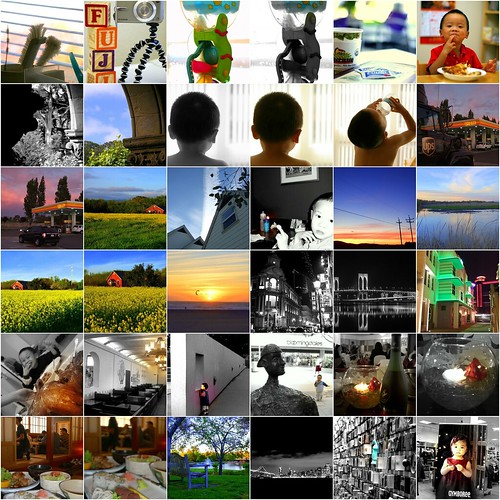
1. IMGP2204, 2. IMGP2152, 3. IMGP2020, 4. IMGP2019, 5. Blown Highlight in Picasa, 6. IMGP1527, 7. IMGP1357, 8. IMGP1354, 9. Not easy to be me, 10. IMGP1064, 11. IMGP1063, 12. UPS & Shell, 13. Pretty Sky, 14. Pretty Sky & Barn House, 15. Home & Blue Sky, 16. DSCF0909, 17. DSCF0896, 18. DSCF0885, 19. DSCF0863, 20. DSCF0857, 21. DSCF0786, 22. Macau Post Office b&w, 23. DSCF0584 in b&w, 24. DSCF0570, 25. P1010012, 26. Mission Blvd McDonald, 27. Looking, 28. bloomingdales, 29. Picasa Focal B&W, 30. Picasa Focal B&W, 31. CIMG3275, 32. CIMG3274, 33. Saturated Bench, 34. sf_bay_bridge, 35. SF Airport Art, 36. CIMG3359


Introduction

Basic Editing

Tuning & Effects

Picasa 'I am feeling lucky'

2007-07-24


On a rush, I sometimes use the quick fix with "I am feeling lucky" in Picasa. Other times, I use "auto contrast" and "auto color" with pictures from my Fuji F30. I find "I am feeling lucky", "auto contrast/color" working quite effectively with "lighting" tunning afterwards. I use these features in Picasa to perform quick fix to most of my shots in Fuji F30. I usually zoom in to 100% crop to view the change and alternate between these three basic fixes
  • I am feeling lucky
  • Auto Contrast
  • Auto Color
and "ligting" is adjusted after the basic fix in Tunning section of Picasa. If I am not satisfied with the basic and tunning fixes, I proceed to "Effects" for these two items for color pictures:
  • Sharpen (just one click)
  • Saturation (only when necessary)
The above are few samples of quick fixes that I did in few minutes on candid shots with my Fuji F30. I may ruin the sky color as I have a tendency of overdoing color saturation.

Related Post:

Using SUPER on Fuji f30 video

2007-01-03
I have learned it from dpreview fuji forum members on a great tool in converting compressed avi video to mpeg4 and other variants as in flash video in FLV. This is a great tool worth looking into for compressing AVI videos to formats with various codecs. It is not intuitive especially in the beginning. But the encoding is way fast in SUPER!
The download page is buried in few pages after the main page and it is in this link as of the writing of this post
With h.264 codec that comes with super program, I manage to compress the 55 second avi video file recorded from Fuji f30 in motion jpeg from 61Mb to about 9.4Mb
  • input/original
    • avi video from Fuji f30
    • 61 Mb
    • 55 seconds in length
    • motion jpeq
  • output #1 in SUPER using mpeg4
    • mpeq4
    • 9.4Mb
    • h.264 codec encoding
  • output #2 in SUPER using FLV
    • Flash Video in FLV
    • 8.9 Mb
    • h.263 codec in FLV/SWF

And the encoding takes about 3 minutes in my 3 year old Dell desktop. Without much analysis, let me put up some samples of uploaded videos to Photobucket

Original Video:

Unprocessed video uploaded to photobucket.


MPEG4
I used SUPER to convert the avi video to mpeg4 using h.264 codec before upload. The reduction in size from 61Mb to 9.4Mb does save me the time in uploading from roughly 22 minutes to about 6 minutes. And photobucket goes through the same step in converting the final video to FLV. I find the output pretty acceptable comparing to the original avi without processing.


FLV
I used SUPER to convert the same avi video to FLV before uploading to Photobucket. The reduction in size from 61Mb to 8.9Mb helps in the upload time to photobucket but Photobucket still takes a fraction of time in the final stage of converting the video to its FLV. At first, I thought that converting to FLV will save the photobucket last step of conversion to FLV and it does not seem to skip that last extra step. Also the FLV from SUPER can only be played in browser without navigation controls of a vidoe player such as Quicktime or Windows Media Player


Resources:

Related:


YouTube vs Photobucket

2006-10-24
This is a follow up to previous post on Embedding Video into blog page. More samples of identical videos from my Casio ex-z750 uploaded to youtube and photobucket.


About

Welcome to Hin's Photo Corner, this is my learning blog on photography, blogging and advertising. And I hope you enjoy your visit. For contact, please comment in blog post or email me directly hintheman at gmail.com.


B&H Best Deals

Statcounter