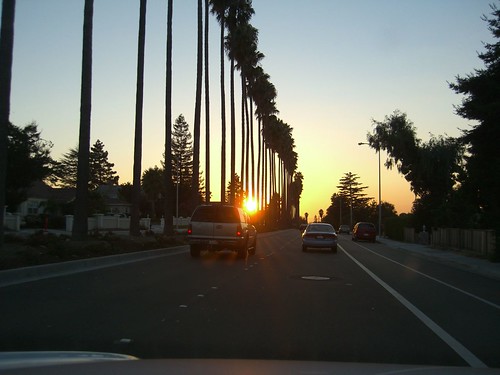
Happy Halloween

2006-10-30
I am very excited to bring my two kids to Yahoo Campus for the Halloween Parade, kraft and fun for kids. I missed it last year.

This year, my household may have problems in 'Trick O Treat' as we are not prepared with large bag of candies. And I always get arguments in the family in getting extra candies as my household is banned from candies. My family is health nuts and it is a price that we have to pay -- no candies.

And I am commuting with Yahoo shuttle again on Tuesday and it will be a challenge for me to buy the missing candies at home -- bummer.

Yahoo Fremont Shuttle

2006-10-27
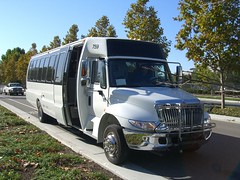
It is my second ride with Yahoo commute shuttle provided in Fremont. The parking in ACE park & ride in Mission Blvd across from McDonald is so much better as there are plenty of parkings late in the morning. My first ride with YEB (yahoo east bay) shuttle was in the Fremont bart station and I ended up having a sticker in my windshield with parking violation warning --- shame. I was sprinting to catch the shuttle and I was not thinking twice when I parked my car in the Naz cinema next to the bart station. I parked illegally after failing to find a spot in 10 minutes circling the parking lot.

Free commute shuttle, I love Yahoo!!!!! My commute will never be the same.

Oktoberfest in Yahoo

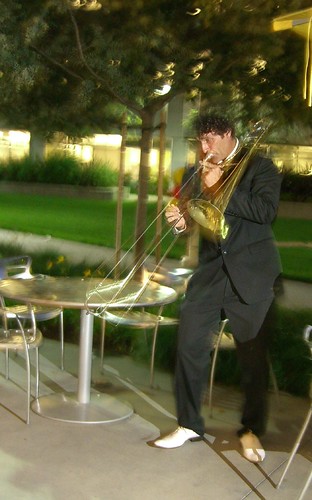
I always enjoy the band playing in the Yahoo campus. This band plays in the Oktoberfest. It is late into the evening and my p&s can't catch up very well with the night scene.


YouTube vs Photobucket

2006-10-24
This is a follow up to previous post on Embedding Video into blog page. More samples of identical videos from my Casio ex-z750 uploaded to youtube and photobucket.


Embedding Videos in blogs and websites

2006-10-23
It has been long time that I mention about writing a post on embedding videos in blog page or website. There is not much to it. I choose two places for video blogging: Photobucket and YouTube. And with Casio mpeq4, I find the compression in Photobucket more appealing. The following are video clips in mpeg4 done in my Casio ex-z750 uploaded into Photobucket and YouTube as flash video in FLV formats. The conversion to FLV is all automatic in the upload process in PhotoBucket and YouTube.

  1. Upload video to either PhotoBucket and YouTube. This assumes that you already have an account
  2. In photobucket, they have a page for "generate html code" based on the video that you intend to use
  3. Photobucket will generate the html codes for various purpose. For video blogging, I pick the second one with header on "HTML images for Ebay, Livejournal, MySpace, etc. "
  4. Preview the selection
  5. Adjust the size. Somehow, photobucket always get it too big in the height and I use the following dimensions for size:
    height: 325 (suggested is strangely set at 430 that is too big for me)
    width: 345
  6. Simply paste the html code to a blog post in "Edit Html"
  7. In Compose mode, blogspot sometime have issue with the missing closing 'embed' html tags and you usually get a warning in submitting the post. It can be easily fixed in finding and adding the missed closing tags for embed

For instance, video in Photobucket


And for the same video uploaded in YouTube, the procedure is very much similar and I resize it to the same dimension on height="325" and width="345" for easier comparison.


For short videos captured with lower resolution such as that in my digital camera Casio ex-z750, I favor Photobucket over YouTube for less compression in the upload and conversion process to Flash Video (FLV). You can see the digitized effects with lesser quality in YouTube and I believe it has something to do with aggressive compressions that are quite understandable for YouTube in dealing with massive data volume coming into their sites. As for now, I get lucky in finding PhotoBucket and the free account comes with restriction on 5 minutes of video which is plenty for my use.

More samples are given in the next post comparing YouTube vs Photobucket.

Hin's Photo Blog

My Photo Bog is pending upgrade to dSLR with Pentax K100D. I visited Ritz Camera over the weekend and I am more impressed than ever with Pentax K100D on its ergonomics, the best Optival View Finder in its class and the solid build of the body. I am a bit concerned on the slower AF speed and shutter lag compared to Nikon and Canon. In my short visit, both the Auto Focus speed and shutter lag seem responsive to me. I want to get this before year's end and the upcoming property tax bill keeps this upgrade on check.

Morning Coffee

2006-10-22
There is nothing like a good cup of coffee in the morning before the long day of work. Ever since I visited Mission Coffee, I come back often to refresh my morning. I deserve better and Mission Coffee fills the need.

Picasa Cropping

2006-10-19

This post is a follow up to Picasa post. Picasa Cropping is the indispensable feature in the 'Basic Fixes' section. One may not bother about cropping but you find it indispensable once you manage to use the feature to crop out the unwanted areas of a picture. Though Picasa backs up the original picture in the subfolder or directory named 'Original', I usually back up a copy in the same directory so that mentally I feel safe in editing a picture that is of value to me. The precautionary step is totally not necessary as Picasa can restore your original even after you save the picture. And it is worth mentioning again that the editing changes in Picasa is not saved to disk until you 'save' in Picasa through either the menu with 'File -> Save' or right click on a changed picture and select 'save'


Various tips on cropping:


  • Copy the original in File explorer and work in Picasa based on the 'Copy' version -- not a must step but I feel at ease in experimenting on the 2nd copy or the 3rd copy

  • Pick on the intended cropping selection on 4x6, 5x7, 8x10 and manual. This is very important if you intend to print the picture later on. Even if you don't intend to print it, the selection on size on 4x6, 5x7 and 8x10 will have a guide for you once you start dragging the corner for expansion and contraction in finding the ideal cropping area.

  • Use the guided size for an approximate crop, and then use 'manual' crop for the final cropping adjustment

  • Preview until you get satisfied, then save.

  • I usually have two working copies of the original and have two crop results to compare side by side until I get settled for one
Many samples of croppings can be seen in my photo blog.


Kool McDonald

2006-10-17
We find a kool McDonald in Standford Shopping Center. Piano Mucic is played in this place. Hey, this is McDonald up a notch! This is my very first M with a Piano that I have ever visited.

I don't know much about the music that the store is playing but I am very impressed with the setting and the atmosphere created in the tiny store. It reminds me of Fry's electronics but this one is way kool and more dramatic.

Picasa Focal B&W

2006-10-16
This is a follow up to previous post on Picasa . I am somewhat bored in a wedding banquet and I keep shooting pictures with the candle, flower and wine bottle on the table. I find Picasa Focal B&W very helpful in changing similar pictures to a different tone and mood. It is very nice to get such a wonderful feature on a free tool. Suprisingly good.

After using Picasa more often, the Effects in focal b&w has become my favorite of use in Picasa. I hope I am not over-using the feature. But when I get bored, I shoot roughly the similar subjects and the Focal B&W comes in handy in creating a different picture based on the same subject. I am novice and this feature adds another dimension to my amateur shooting skills.

Upon turning a picture to Focal B&W, the program in Picasa allows you to change the subject of coloring and provides you the size to alter the circular dimension of the coloring subject of your choice. After the application of
Focal B&W effect, I usually go back and adjust the 'highlight', 'fill light' and 'shadow' in 'Tuning' section.


Related posts:

Picasa Straighten & Focal B&W

2006-10-14
After starting to use Picasa more, I find 'Straighten' in 'Basic Fixes' in Picasa very handy. It is not obvious to me at first.


When I examine many of my pictures closely, I notice that I have many that are not aligned horizontally when I position the camera vertically.

And I find the 'Focal b&w' in 'Effects' quite useful in that it creates a very different picture from the original


Face Detection in Fuji s6500/s6000

2006-10-12
The buzz with face detection currently gets my most attention and I am yet to decide between Pentax K100D and Fuji s6500/s6000. For image quality and for the long term, I will go with Pentax K100D. But this dSLR like camera in Fuji s6500/s6000 with face detection is inexpensive and it provides a very decent range from 28mm to 300mm along with the same sensor used in Fuji f30 which has produced very good pictures in low light photography.


The few things that hold me back on fuji s6500/s6000 are the following:
  • Missing official reviews from well known sources
  • Low resolution in EVF. I can't find the specification and I vaguely remember someone mentioning it as 115k or 150k. Some posting from others do mention about poor resolution in EVF but still acceptable.
  • Amount of noise as compared to dSLR
  • AF speed in continuous mode
  • Absense of IS combined with poor resolution in EVF will require tripod for tele zoom kind of situation
  • Perhaps others to be filled as I find them
Overall, though a bit uncertain, I am very impressed and I have high expectations in the upcoming review in various well known sites for camera review.

Links for information (to be updated frequently)

I highly suggest the following link from Adoroma discussing on various EVF kind of cameras including Fuji s6500/s6000, Canon s3, Panasonic FZ50:


Why I like Casio ex-z750

2006-10-11
Video
I still think Casio ex-z750 is the best compact camera in 2005. It is packed with features and I take it along with me everywhere from going to work to weekend activities with the kids. And I am constantly struggling to take it in possession while my wife is using it on a daily basis at home with the kids for both pictures and video. The video capability may not be important to some but it is very important aspect to me as I find it convenient to take short clips.


And my friend Raj has composed videos on a team outing with bowling in Movie Maker based on short clips from the two Casio ex-z750 that he and I brought to the outing -- Raj bought the Casio ex-z750 with my influence and I am very glad that he is quite satisfied with his purchase.


  • mpeq-4, 640 x 480, 30 fps, with audio
  • 1Gig SD card yields roughly 38 minutes
  • acceptable video quality for web pages

Picture Quality
I find it excellent in good light conditions and the image quality has beaten my expectation from a p&s camera. And it is quite portable that I can take it anywhere in my backpack or jacket. All of my pictures at the moment are taken with Casio ex-z750 as of this writing. With my Flickr account, I use flagrantdisregard.com to build my Flickr profile widget and you are more than welcome to see my pictures in Flickr.

hin_man. Get yours at flagrantdisregard.com/flickr


Features
The camera is packed with extra features with many bestshot modes and it provides manual control on aperture, shutter, focus, change of ISO, focus metering, ev compensation, and white balance etc. through either the menu and convenient bottons on the camera for quick access. Its ergonomics is quite good. One major gripe is on low light performance. It is sufficient to be used at home with flash in close distance but it is not as powerful as the Fuji f30 which is the 2nd p&s that I consider. The other minor complaint is on the mode dial that I find myself frequently hitting on the 'Macro focus' button by mistakes. In short, it is packed with features that I use quite frequently.

And my quest for next camera ended with Fuji F30 in thanksgiving of 2006 and in March of 2007, I have gotten my dSLR with Pentax K100D with kit's len Pentax DA 18-55 and Pentax DA 50-200

Related Posts:

Autostitch

2006-10-10

I find autostitch to be very useful as a free software program for autostitching mutliple pictures that give you a wide angle view. My pano picture of my boring cube is currently the most viewed pictures in my Most Viewed pictures in Flickr. It has been viewed over 800+ times and still counting. The important things to remember in using autostitch with Casio ex-z750:
  • Enable the 'grid' menu that helps you to align pictures
  • Take pictures above and below a spot -- this is important.
  • Avoid contrasty areas that will confuse the program in stitching process
  • Experiment with a short series
  • Have a stable plaform such as using a tripod. The above pano picture was taken in a chair turning from right to left

Related:


California Beach

2006-10-09

I have lunch once in Apple campus with two of my buddies. Upon finishing lunch and on our way to the famous Apple store, one of my friend remarks that we are in the wrong profession working in a cube with long hours. The California weather is what I enjoy the most in living in the bay area and it is an irony that I take pictures like these only when family members visiting from afar.


slide.com wonderful

2006-10-05
I have found this site that provides slideshow with html code for blogging use. The following is a slideshow based on my Flickr photoset in the mall processed with Picasa.


Technorati

I just managed to create the Technorati profile. For some unknown reason, I can't get the embedding javascript to work in my 'Tool's section in the sidebar for showing blog links from others. The internet is a giant web of links. And I find from Technorati who links to me and I start linking back to them. Besides my profile link, I include few links that talk about my Picasa post. Thanks to the site in Documenting Picasa for linking with this Tech Corner page.

Feedburner

2006-10-04
I have been looking around for rss feed subscription in blogger. It is supported only in 'pro' account with subscription fee -- bummer. Luckily I found Feedburner in http://feedburner.com/. And here are few links for readers of this bog to subscribe to and I have placed the first two on sidebar.


Subscribe to Hin's Tech Corner


Add to My AOL

Add to Google


Picasa

2006-10-02
It is free
I find Picasa very useful in organizing photos and it provides a very complete suite of basic editing tools. Picasa consists of three sections for photo editing:
  • Basic Editing
  • Tuning
  • Effects
And I highly recommend the tool.

Basic Editing
The basic features are very useful for red eye correction, cropping, straighten and simple adjustment to lighting, contrast and color. I never thought of 'straighten' until I try it on few pictures and I learn that a perspective can be created with an adjusted angle and more often than not, we don't line up the camera straight and Picasa can come in very handy.

Tuning
The next suite of tool set comes into the 'Tuning' section that is more of a life saver especially for 'Fill light' when my pictures are purposely taken in the dark without the flash. I went wild in a series of pictures taken in the mall knowing that the small flash in a point & shoot will definietly ruins a picture with not enough light for the dark background. I have a very bad picture that is out of focus and very shaky due to long shutter speed and a lot of distractions that the picture is close to be placed in my trash folder but Picasa comes in for the rescue. Though it is still a bad picture, I can salvage it for blogging with a black and white tuning with high saturation for a contrasty look.

Effects
The third editing section in Picasa is the superb special effects -- it is plain sweet for a tool that is free and yet it is so rich in features from basic editing to some special effects that add
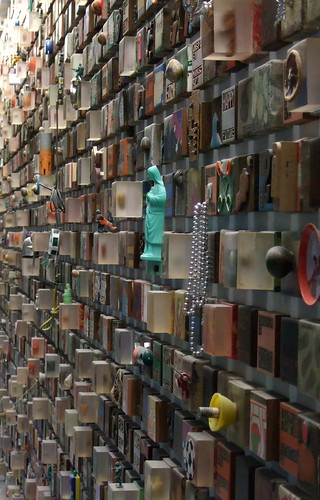
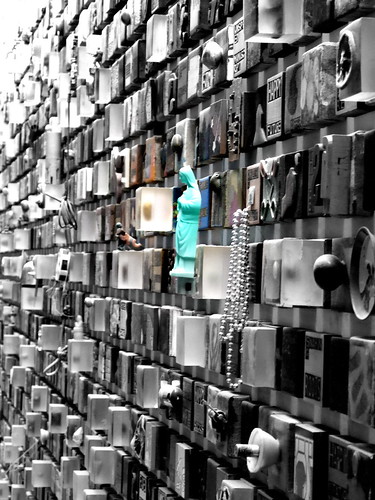
variations -- be it on a good or bad picture. The original picture on the Gymboree poster is not too bad but it is boring to take picture on someone else's great photographic work -- I don't want to clone on other's work and hence I change it the way I want it. It may not come out nicely as the original but that is not the purpose as I want it to be different and Picasa 'Effects' allow that with 'Focal B&W' and I am pretty happy with the alternation.

For comparison with the original pictures, I have the photoset for Picasa Review uploaded in Flickr. Please write me a comment if you are interested in seeing a more thorough tutorial on Picasa.

Recommended Site on Picasa
Follow up
 

About

Welcome to Hin's Photo Corner, this is my learning blog on photography, blogging and advertising. And I hope you enjoy your visit. For contact, please comment in blog post or email me directly hintheman at gmail.com.


B&H Best Deals

Statcounter